Syllabus to schedule in minutes

Horizon

Turn a course syllabus into a clean assignment dashboard with due dates, reminders, exports, and editable course details.

PDF
Upload a syllabus
CSV
Export to spreadsheets
ICS
Add to calendars
Syllabus to Assignment Dashboard to Calendar Ready
horizonremind.com
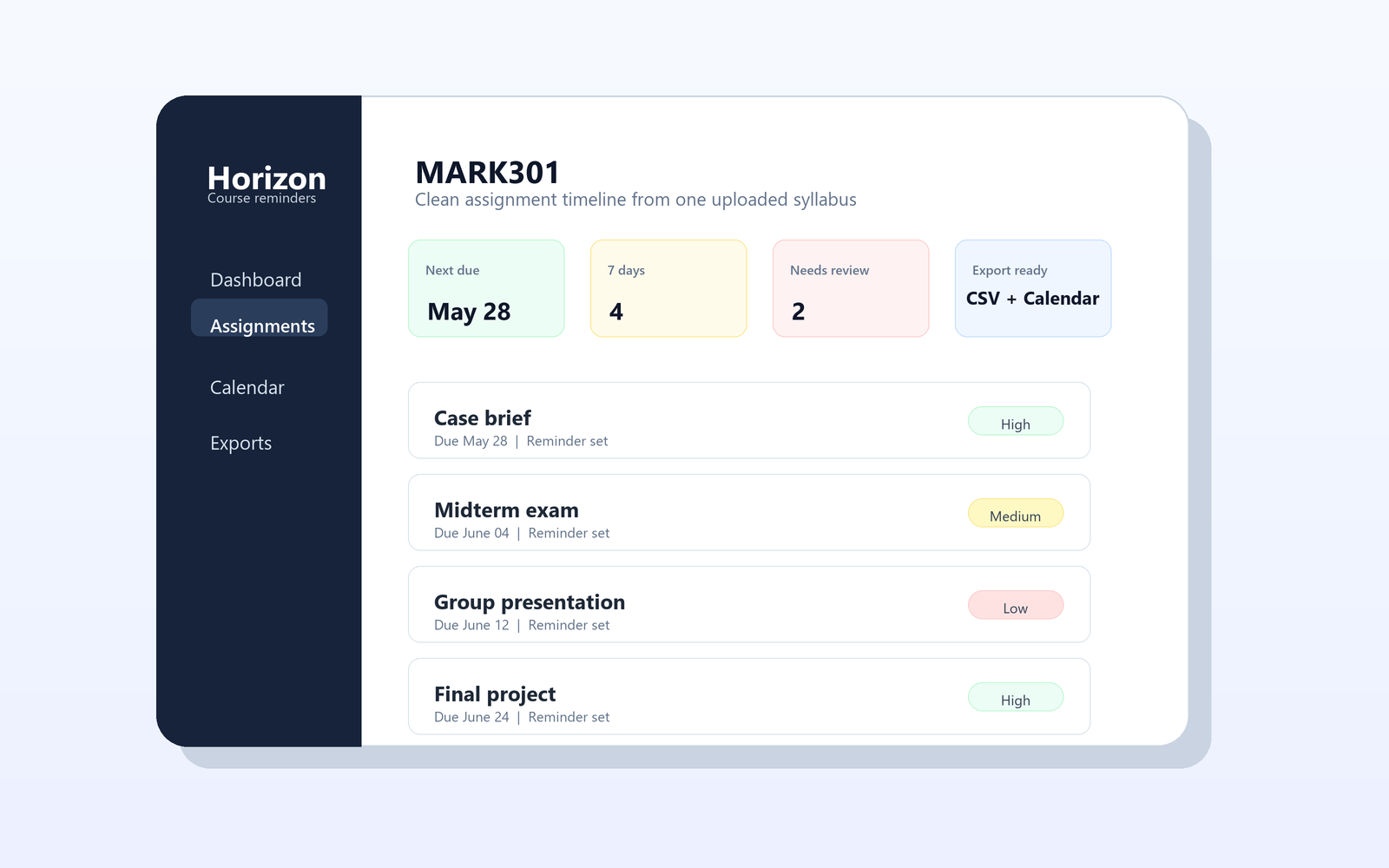
Horizon assignment dashboard preview
Next Due
Sep 18
Exports
CSV + ICS
Review
Editable

Built for the first week of class, and beyond.

Horizon keeps the workflow short: upload, review, save, export. Students can fix extraction mistakes without reprocessing the syllabus.

1

Upload the syllabus

Drop in the course PDF and Horizon extracts assignments, exams, dates, weights, notes, and confidence levels.

2

Review the dashboard

Search, sort, edit course info, add missing work, and save changes back to the student's account.

3

Export reminders

Download spreadsheet rows or calendar events with alerts, then keep the saved course available for later edits.

Simple student-friendly pricing.

Start with one course. Upgrade when Horizon becomes part of the semester routine.

Free

$0 / semester

Best for trying Horizon with one class.

  • 1 saved course
  • Syllabus upload and extraction
  • Editable assignments
  • CSV and calendar export

Make the semester feel mapped, not mysterious.

Turn a messy syllabus into something a student can actually trust.

From PDF clutter

Horizon turns the syllabus into dates, weights, notes, and reminders they can review.

To a clean semester plan

Sep 18
Reading response
5%
Oct 06
Midterm exam
25%
Nov 22
Research paper
30%
Editable by default Students can fix details, add missing work, and save changes without re-running extraction.
Ready for the tools they already use Export spreadsheet rows or calendar events when the course plan looks right.

Ready to turn the next syllabus into a plan?

Open the app, create an account, upload a syllabus, and let Horizon build the first course dashboard.